
Screenshots
App details
- Updated
- Feb 7, 2024
- Language
- Català 6 moreLanguagesCatalàEnglishGerma...
- Developer
- Rare Ideas
- Category
- Mobile
SoftPas in:
This product is also available in the following languages:
About Autoruns Portable
Download Autoruns Portable – autoruns, portable, startup manager, system optimization, windows tools
Overview
Autoruns Portable is a specialized utility designed to provide users with full visibility and control over programs that automatically launch during Windows system startup. As a lightweight, portable tool developed by Sysinternals, it enables users to inspect and manage a wide range of auto-run entries, including startup programs, shell extensions, browser helper objects, and toolbars. This functionality is particularly valuable for individuals seeking to optimize system performance by identifying and disabling unnecessary or potentially malicious startup processes.
The app serves as a critical diagnostic and maintenance tool for both casual users and IT professionals who want to streamline their system’s boot sequence. By revealing the exact order in which components load, Autoruns Portable helps users understand the underlying mechanisms of Windows startup behavior. This transparency supports faster troubleshooting, improved security, and enhanced system responsiveness.
Given its portability, the application can be run directly from a USB drive or any local folder without installation, making it ideal for use on shared or restricted machines. Its compact size of 1.2 MB ensures minimal resource usage and quick deployment across different environments. Although the developer did not provide additional technical details, the tool’s longstanding reputation within the Windows ecosystem speaks to its reliability and effectiveness.
Key Features & Functionality
- Comprehensive Startup Management: Displays all programs and components configured to run at startup, including those hidden in registry keys and system folders. This allows users to identify and disable unwanted or suspicious entries.
- Deep System Insights: Goes beyond standard startup lists by showing shell extensions, browser helper objects, and other background components that may impact system performance or privacy.
- Portable Operation: No installation required. The tool can be executed from any location, including external drives, enabling consistent use across multiple devices without leaving traces.
- Custom Entry Control: Users can manually add or modify auto-run entries from various directories, offering flexibility in managing startup behavior based on personal or organizational needs.
- Intuitive Interface: Designed for both novice and advanced users, the interface presents information clearly, with organized views and filters to simplify navigation and decision-making.
For example, a user experiencing slow boot times can use Autoruns Portable to scan for unnecessary applications launching at startup and disable them with a single click. Similarly, a system administrator can deploy the tool on multiple machines to audit startup configurations and enforce security policies. The ability to manage browser helper objects also helps prevent unwanted extensions from loading, enhancing web browsing security and speed.
Interface, UX & Performance
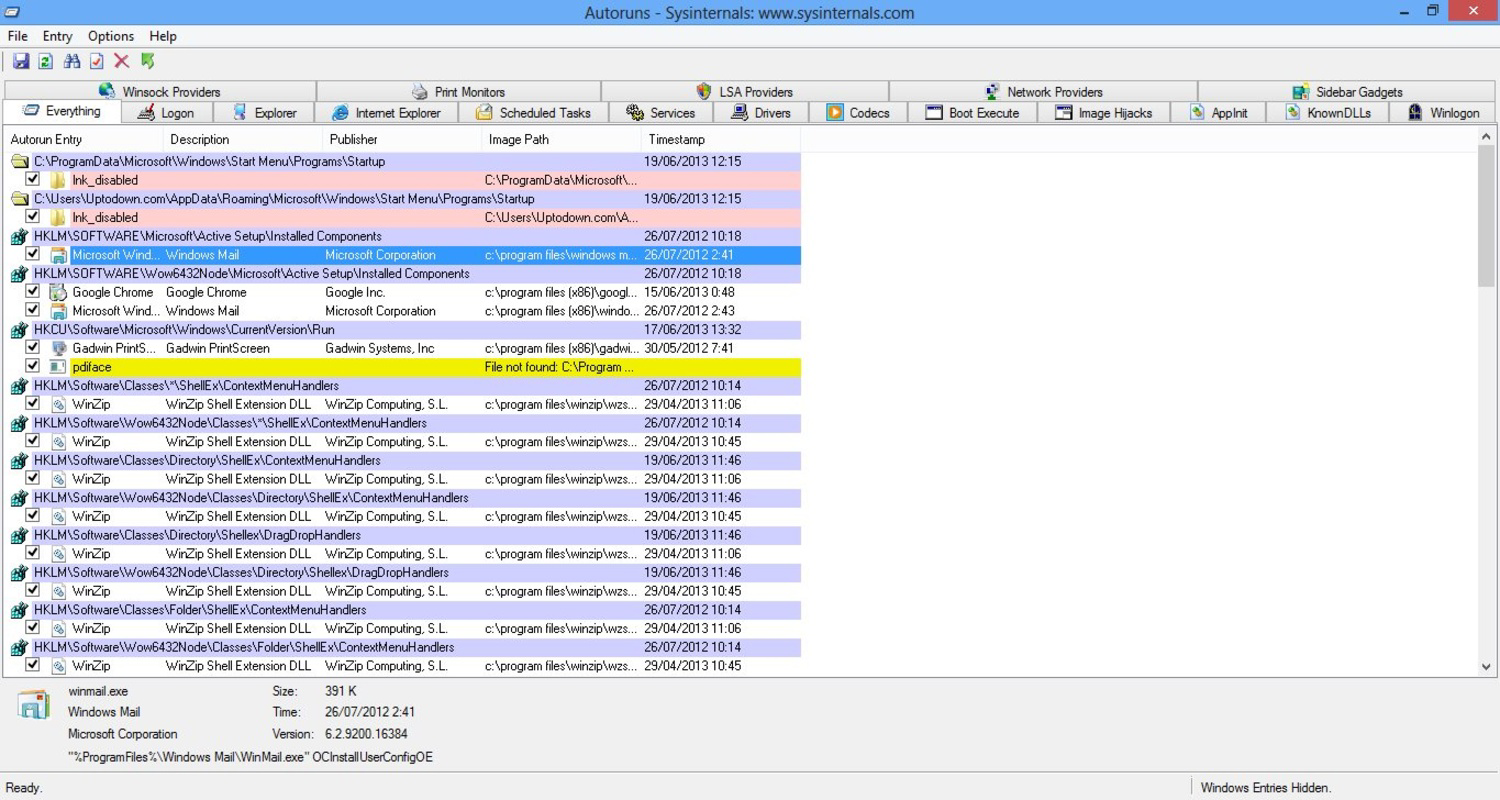
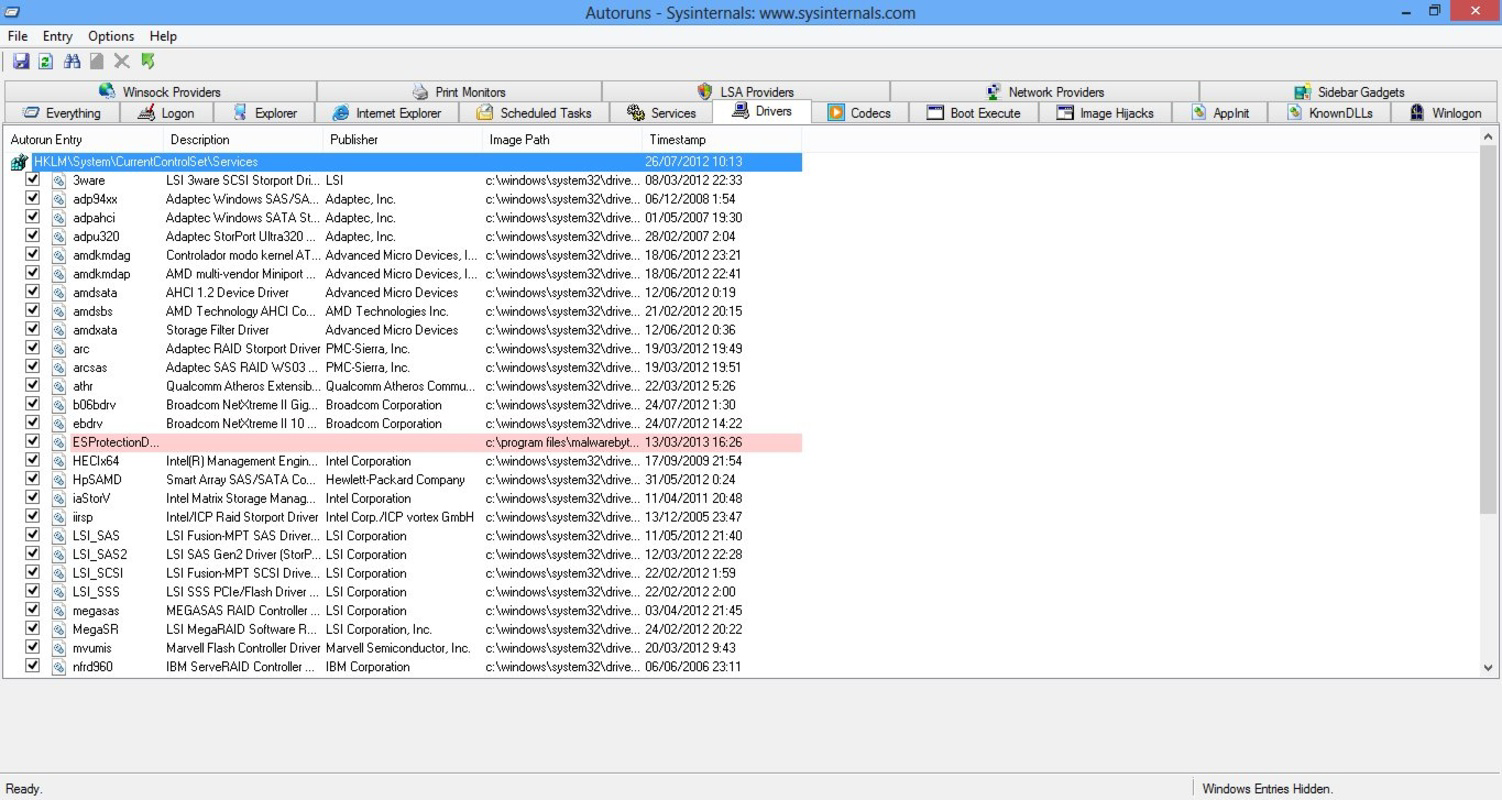
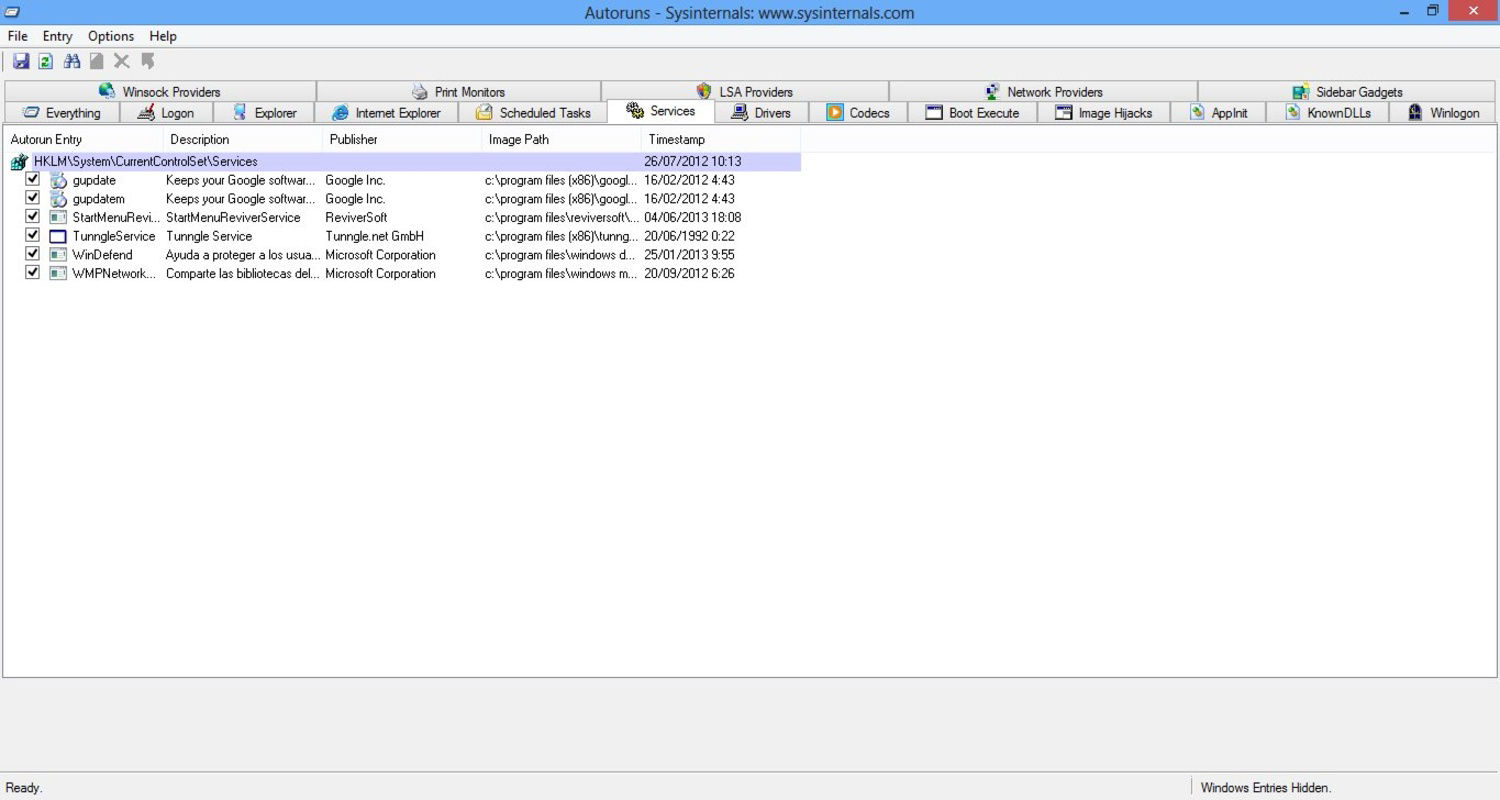
The interface of Autoruns Portable is clean and structured, presenting startup entries in a tabbed layout that categorizes components by type—such as Logon, Services, Scheduled Tasks, and Browser Extensions. This organization allows users to quickly locate specific entries and assess their impact on system performance. Navigation is straightforward, with filtering and sorting options that enhance usability without overwhelming the user.
Although the developer did not list formal performance metrics, the tool’s minimal file size of 1.2 MB suggests efficient resource utilization. It launches quickly and operates smoothly on a wide range of Windows systems, from older machines to modern devices. Responsiveness is consistent, with minimal lag even when processing large lists of startup items.
Stability appears to be a strength, given the tool’s long-standing presence in the Windows utilities space. The application maintains a low crash rate and handles system-level operations without disrupting normal operation. However, specific requirements were not listed, so users should ensure compatibility with their current Windows environment before use.
Platform Compatibility & Technical Requirements
Autoruns Portable is designed for the Windows platform and operates on various versions of the Windows operating system. The application is available in version 1.0 and has a file size of 1.2 MB, making it highly portable and easy to distribute. Its lightweight nature ensures it can run efficiently on both low-end and high-end hardware.
Although the developer did not specify minimum OS requirements, the tool’s compatibility with standard Windows environments suggests it supports Windows 7 and later versions. Users should verify system compatibility before execution, especially in enterprise or restricted environments where policies may limit the use of unsigned or third-party utilities.
Pros and Cons
Pros
- Lightweight and fast-loading, ideal for quick system checks.
- Portable—no installation required, perfect for on-the-go use.
- Comprehensive visibility into all startup components, including hidden entries.
- Supports advanced users and beginners with an intuitive interface.
- Free to download and use with no hidden costs.
Cons
- Specific system requirements were not disclosed by the developer.
- May require technical knowledge to interpret certain startup entries safely.
- Not available for macOS or Linux systems.
- Limited visual customization options for the interface.
- No built-in update mechanism; users must manually download new versions.
FAQ
Is Autoruns Portable safe to use?
Yes, Autoruns Portable is developed by Sysinternals, a trusted Microsoft subsidiary. It is a legitimate tool used by IT professionals and security experts to analyze and manage startup processes. However, users should exercise caution when modifying system entries to avoid unintended system instability.
Can I run Autoruns Portable on any Windows PC?
Yes, the tool is designed to be portable and can be executed on any Windows system without installation. It does not require administrative privileges to run, though some modifications may require elevated permissions.
Does Autoruns Portable update automatically?
No, the application does not include an automatic update feature. Users must manually check for new versions on the official Sysinternals website and download the latest release.
Is Autoruns Portable available for Android or iOS?
No, Autoruns Portable is exclusively designed for Windows systems and is not available for mobile platforms such as Android or iOS.
Can I use Autoruns Portable on a USB drive?
Yes, one of its key advantages is portability. You can copy the executable file to a USB drive and run it directly from there on any compatible Windows machine.
Final Thoughts
Autoruns Portable stands out as a powerful, no-frills utility for anyone looking to take control of their Windows startup process. Its ability to reveal hidden startup entries and manage them with precision makes it an essential tool for system optimization, security auditing, and troubleshooting. Whether you're a regular user aiming to speed up boot times or a professional managing multiple systems, this app delivers reliable performance and deep insights.
With its free access, minimal footprint, and no installation requirements, Autoruns Portable offers exceptional value. It’s particularly well-suited for IT administrators, power users, and anyone concerned about system efficiency and privacy.
Download Autoruns Portable now to gain full visibility into your system’s startup behavior and take proactive steps toward a faster, more secure computing experience.
Guides & Tutorials
How to install Autoruns Portable
- Click the Download button above.
- Once redirected, accept the terms and click Install.
- Wait for the Autoruns Portable download to finish on your device.
How to use Autoruns Portable
This software is primarily used for its core features described above. Open the app after installation to explore its capabilities.
User Reviews
No reviews yet. Be the first to share your experience.
You may also like
more
Que no te pillen¡
About !Que no te pillen¡Reviewed by Jason A. BilbreyShow MoreShow Less

3D Combat Zone
About 3D Combat ZoneOriginally released in 1983, 3D Combat Zone immerses players...

666: El día del portal
About 666: El día del portalOn June 6, 2006, Agent P. Stone uncovers a sinister...

80 in 1 Best Flash games
About 80 in 1 Best Flash games 80 in 1 Best Flash games is a collection of 80 fl...

ABYSS SEEKERーーWhat Do You See Deep in The Abyss
About ABYSS SEEKERーーWhat Do You See Deep in The AbyssIn ABYSS SEEKER, players...

ACA NEOGEO THE KING OF FIGHTERS 2002 for Windows
About ACA NEOGEO THE KING OF FIGHTERS 2002 for WindowsTHE KING OF FIGHTERS 2002,...